> ## Documentation Index
> Fetch the complete documentation index at: https://phylaxsystems-docs-project-incidents.mintlify.site/llms.txt
> Use this file to discover all available pages before exploring further.
# Transparency Dashboard
> Browse and analyze all projects and their active assertions
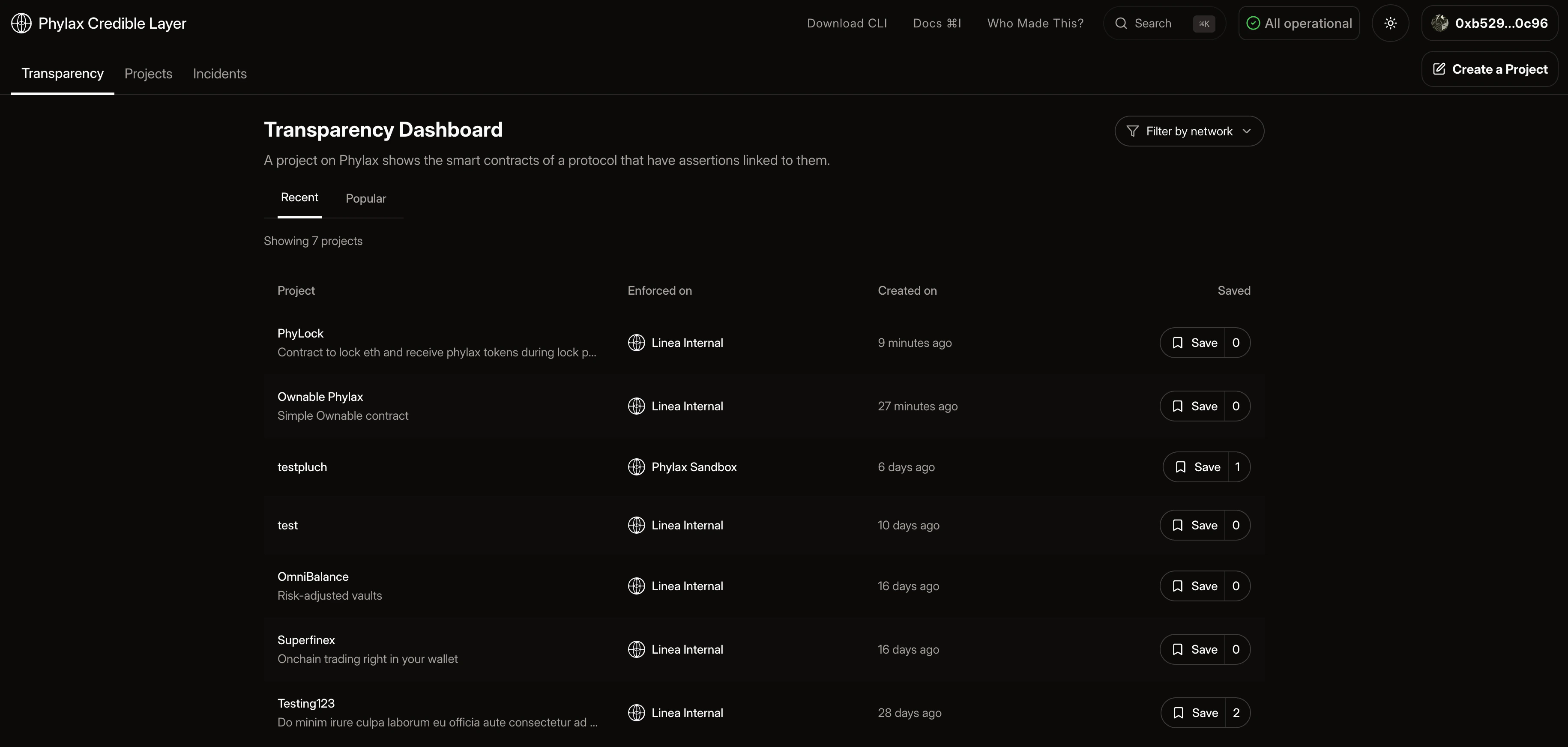
The Transparency Dashboard is a public interface that displays all projects registered on the Credible Layer, their linked contracts, and the assertions protecting them.
For a high-level view of how the dApp interfaces with the rest of the system, see
[Interface Overview](/credible/interfaces-overview).
## Features
### Browse Projects
View all projects and their details:
* Project names, descriptions, and target chains
* Linked contract addresses
* Active assertions protecting each contract
* Assertion implementation details, trigger conditions, and parameters
* Recent events related to contracts and assertions being added or removed
### Search / Filter
* You can search for projects at any time using the search bar in the top right corner of hitting `cmd/ctrl + k`
* You can filter projects by network
## Accessing the Transparency Dashboard
1. Click the "Transparency" tab in the navigation bar
2. Browse projects
 ## Use Cases
**For Users and Security Researchers**
* Verify which assertions protect a protocol before interacting
* Compare security postures across protocols
**For Developers**
* Browse assertions from protocols with similar contracts
* Learn from existing assertion implementations
* Copy and adapt assertion patterns for your own protocol
## Why Users Trust Protected dApps
* **Public registry**: Assertions and protected contracts are visible on-chain
* **Transparent enforcement**: Dropped transactions surface as incidents
* **Auditable rules**: Assertions are published Solidity, not opaque policy
## Next Steps
Learn more about the dApp
Create your own project
Learn more about incident removal events
Learn how to write assertions
## Use Cases
**For Users and Security Researchers**
* Verify which assertions protect a protocol before interacting
* Compare security postures across protocols
**For Developers**
* Browse assertions from protocols with similar contracts
* Learn from existing assertion implementations
* Copy and adapt assertion patterns for your own protocol
## Why Users Trust Protected dApps
* **Public registry**: Assertions and protected contracts are visible on-chain
* **Transparent enforcement**: Dropped transactions surface as incidents
* **Auditable rules**: Assertions are published Solidity, not opaque policy
## Next Steps
Learn more about the dApp
Create your own project
Learn more about incident removal events
Learn how to write assertions